This free Facebook cover photo maker will enable you to make beautiful custom Facebook covers in under a minute. Select a Facebook cover template from the selection below and customize it to create free Facebook covers with your own text and/or images. See our Facebook feed image-maker.
| How to Change the Background | How to Edit Text | How to Add a Quote | How to Download | How to Add Shapes |
If your logo is not square, delete the dummy logo and add your logo.
How to Change the Background
Click on the image you want to replace. You can add your own photo, an image from our gallery or an image from Pixabay (over 1.6 million royalty-free stock photos).
To use your own image: click to the left or drop your image.
To use an image from the gallery of over 1.6 million image click on the right.
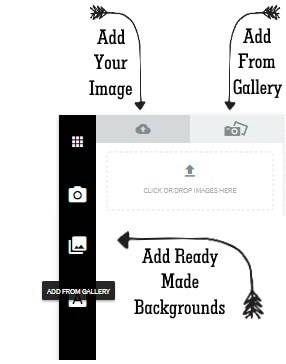
To use a ready-made background from our gallery: click on the gallery icon.
If the image does not fill the space then drag the bottom right corner to the right.
How to Edit Text
Either double click on the text and type your text.
Or, click on  “Edit all Elements”. Back to the workspace
How to Add a Quote
Either click on “Add Text”  to add your own text. Or, click on “Add from Gallery”
 to add from our gallery of quotes. Back to the workspace
How to Download
1. Click Download PNG above the editor to save the current cover as an image. For JPG, PDF or SVG, click More formats. The original download icon also opens the format menu.
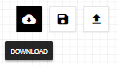
2. Select the format you want your image to be (jpg, png, pdf or svg).
In most cases, jpg is the best format to use.
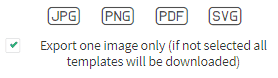
3. Keep Selected cover only checked to download the current view of your design. If you clear it, the download includes every view of that design. Back to the workspace
How to Add Shapes
Click on “Add from Gallery” to add shapes from our gallery. Back to the workspace
Leave a Reply